
Every additional step in an eCommerce checkout creates another opportunity for the customer to leave.
Customers may abandon because they cannot find their card, do not want to create an account, struggle to enter information on a mobile device or encounter a payment method they do not trust. Even highly motivated customers can be lost when the final stages of the buying journey feel unnecessarily difficult.
Express checkout addresses this problem by allowing customers to complete purchases using payment, billing and delivery information they have already saved with a trusted provider.
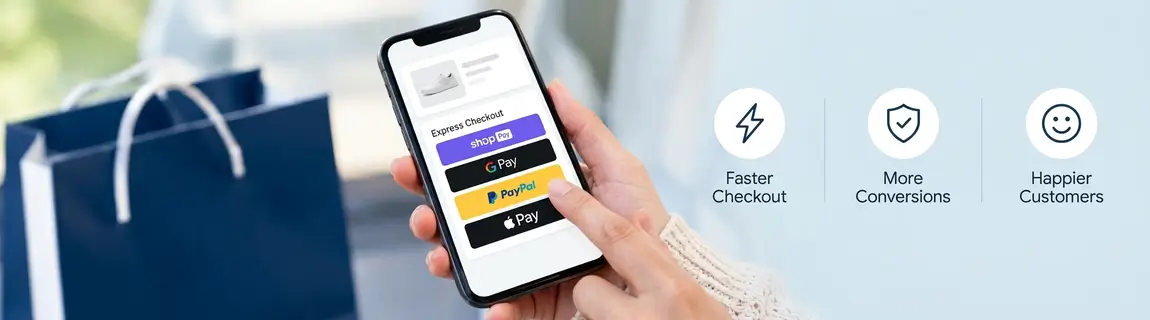
Apple Pay, Google Pay, Shop Pay and PayPal can all reduce the effort required to place an order. However, simply activating these options does not guarantee a better checkout.
Retailers need to choose the right payment methods, position them carefully and ensure they work across products, promotions, delivery options and connected business systems.
What is express checkout?
Express checkout is a shortened path to purchase that uses information a customer has previously saved.
Depending on the payment method and platform, this may include:
- Customer name
- Email address
- Telephone number
- Billing address
- Delivery address
- Card or payment information
Instead of entering these details manually, the customer selects an express payment option, confirms the information and authorises the transaction.
Some express checkout options appear on the product page or in the cart, allowing customers to bypass parts of the standard checkout. Others appear within the checkout as a faster alternative to manually entering payment details.
The objective is not necessarily to eliminate every checkout step. It is to remove the steps that add effort without improving the customer’s order.
Why express checkout matters
The checkout is one of the most commercially important parts of an eCommerce website.
The customer has already discovered the business, evaluated the product and demonstrated purchase intent. Losing them at this stage can waste the value created by marketing, merchandising, search, content and the rest of the customer experience.
Express checkout can reduce several common sources of friction:
- Finding and entering card details
- Completing address forms on mobile
- Creating a new customer account
- Correcting typing mistakes
- Remembering passwords
- Re-entering information already stored elsewhere
- Navigating multiple checkout pages
- Deciding whether an unfamiliar payment form is trustworthy
The value is particularly clear on mobile devices. Entering a long card number and address on a small screen can be inconvenient, especially when the customer is shopping away from home.
A familiar digital wallet can replace that process with a much smaller number of actions.
Express checkout and one-page checkout are different
Express checkout and one-page checkout are sometimes treated as the same concept, but they solve different problems.
A one-page checkout places the required checkout fields within a single page. Customers may still need to enter their contact, delivery and payment information manually.
Express checkout uses previously saved customer information to reduce the amount of manual entry required.
A well-designed one-page checkout can provide an effective experience for customers who want to pay by card. Express payment methods can then provide an even faster alternative for eligible customers.
Retailers should support both journeys rather than forcing every customer through the same payment experience.
The major express checkout options
The appropriate payment mix depends on the retailer’s customer base, platform, markets and payment provider.
Apple Pay
Apple Pay allows eligible customers to use cards and information connected to their Apple devices.
It can be particularly valuable for retailers with substantial traffic from iPhones, iPads and Safari. Customers can confirm a purchase using the authentication capabilities of their device rather than manually completing a card form.
Apple Pay should be considered when reviewing mobile checkout performance, particularly when Apple devices represent a meaningful share of traffic and revenue.
Google Pay
Google Pay allows customers to complete purchases using supported cards saved to their Google Account.
It can reduce the need to enter card and delivery information manually, making it relevant to Android users and customers shopping within compatible web environments.
Google Pay should be implemented as part of the retailer’s broader payment strategy, with appropriate testing across devices, browsers and payment scenarios.
Shop Pay
Shop Pay is Shopify’s accelerated checkout option.
Customers who have previously saved their information with Shop Pay can use it across participating Shopify stores. This can make it especially effective for retailers operating on Shopify or Shopify Plus.
Shop Pay can retain customer contact, delivery and payment information, creating a familiar checkout experience across different stores.
Its value depends partly on customer recognition and adoption within the retailer’s audience.
PayPal
PayPal remains a familiar payment method for many online customers.
Customers can use the information and funding methods stored in their PayPal account without providing their complete card details directly to each retailer.
PayPal can support accelerated payment from the cart or checkout, depending on the platform and implementation. It can also provide an alternative for customers who do not want to use a card form or another digital wallet.
Buy now, pay later
Buy now, pay later services can create a shorter payment journey for customers with an existing account, but their primary commercial proposition is different.
Apple Pay, Google Pay and similar wallets focus heavily on convenience. Buy now, pay later services allow eligible customers to divide the cost of a purchase across multiple payments.
These services may be valuable for certain products and order values, but retailers should consider transaction costs, customer suitability, refund processes and the effect on the overall payment experience.
How many express payment methods should you offer?
More payment methods do not automatically produce a better checkout.
A long collection of buttons and logos can make the interface feel complicated. It can also distract customers from the primary path to purchase.
Retailers should select payment methods using actual customer and transaction data.
Useful information includes:
- Device and browser usage
- Customer location
- Existing payment preferences
- Mobile conversion rates
- Average order value
- Customer demographics
- International sales
- Payment failure rates
- Customer-service enquiries
- Checkout abandonment by stage
The checkout can then prioritise the methods most relevant to each eligible customer.
For example, an Apple Pay option may be shown prominently to an eligible Apple user, while Google Pay may be prioritised in a compatible Google environment. The customer should still be able to access standard card payment and other suitable methods.
The goal is to provide useful choice without creating decision fatigue.
Where should express checkout appear?
Express payment methods can appear on product pages, within the cart and at checkout.
Each position has different commercial implications.
Product pages
An express checkout button on a product page can allow customers to move directly towards payment.
This can work well for:
- Simple products
- Repeat purchases
- High-intent traffic
- Limited product releases
- Products commonly purchased individually
- Customers who already know what they want
However, product-page express checkout can also cause customers to bypass useful parts of the shopping journey.
They may miss:
- Complementary products
- Bundles
- Accessories
- Quantity decisions
- Promotional messages
- Gift options
- Delivery information
- Compatibility guidance
Retailers should therefore evaluate the effect on conversion rate and average order value rather than assuming the shortest possible journey is always the most profitable.
Cart
The cart gives customers an opportunity to review products, quantities, discounts and expected costs before starting payment.
Express checkout from the cart can provide a strong balance between speed and order visibility. It allows the customer to confirm the contents of the order while avoiding unnecessary data entry.
This is often a sensible location for retailers with multi-product orders.
Checkout
Express payment options can appear at the beginning of checkout or within the payment stage.
This approach gives the retailer greater control over the information collected before payment. It can be useful when the order requires delivery selection, click and collect, loyalty information or other customer decisions.
The best position depends on the products and the complexity of the order.
Do not let express checkout bypass essential decisions
Express checkout should remove unnecessary effort, not essential information.
Before customers move into an accelerated payment flow, they may still need to confirm:
- Product size
- Colour or configuration
- Quantity
- Personalisation
- Delivery method
- Collection location
- Shipping speed
- Gift options
- Promotional codes
- Loyalty benefits
- Subscription frequency
- Terms or product restrictions
If these decisions are skipped, the retailer may receive incorrect orders, generate customer-service enquiries or create additional returns.
A strong implementation identifies which information is genuinely required and collects it at the most appropriate point.
Express checkout for mobile commerce
Express checkout is especially valuable on mobile, but the complete mobile experience still matters.
A Google Pay or Apple Pay button cannot compensate for:
- Slow product pages
- Unresponsive controls
- Difficult product selection
- Poor address validation
- Confusing delivery options
- Layout movement
- Buttons that are difficult to tap
- Payment components that load late
- Unclear error messages
Retailers should test the full mobile journey from product discovery through to order confirmation.
The express payment button should load quickly, remain visually stable and appear only when the customer is eligible to use it.
Express checkout on Shopify and Shopify Plus
Shopify supports several accelerated checkout options, including Shop Pay and compatible third-party payment methods such as Apple Pay, Google Pay and PayPal.
Accelerated checkout buttons can appear on product pages and within Shopify Checkout. The exact methods presented can depend on the store’s payment configuration and the customer’s device or browser.
The standard functionality can make implementation relatively straightforward, but retailers should still consider:
- Theme configuration
- Button positioning
- Product-page behaviour
- Compatibility with subscriptions
- Discounts and promotional codes
- Gift cards
- Product personalisation
- Cart upsells
- Localisation and international selling
- Analytics and attribution
- Third-party application compatibility
Shopify Plus retailers should also consider how express checkout fits with checkout extensions, loyalty programs, customer accounts and other custom functionality.
The presence of the button does not confirm that every business rule and downstream process works correctly.
Express checkout on Adobe Commerce
Adobe Commerce can support express payment methods through Adobe Payment Services and compatible payment gateway integrations.
These implementations may be more complex because Adobe Commerce is often used by retailers with:
- Multiple websites
- Several countries or currencies
- Custom checkout experiences
- Complex product types
- Customer-specific pricing
- Loyalty and store credit
- Subscriptions
- Headless storefronts
- Multiple fulfilment locations
- ERP and order management integrations
The payment method needs to work across the entire order lifecycle.
This includes:
- Payment authorisation
- Order creation
- Fraud review
- Capture
- Invoicing
- Partial shipments
- Partial refunds
- Complete refunds
- Cancellations
- Reconciliation
- Customer notifications
For complex retailers, express checkout is not just a frontend feature. It is part of the broader commerce and payment architecture.
Connecting express checkout with omnichannel fulfilment
Retailers offering click and collect, ship from store or location-based delivery need to ensure express checkout works with their fulfilment model.
Customers may still need to:
- Select a preferred store
- Check local product availability
- Choose a collection location
- Confirm a collection contact
- Select a delivery window
- Approve a split shipment
- Choose between delivery and collection
If an express checkout button bypasses these decisions, the retailer may receive an order it cannot fulfil as expected.
Inventory and fulfilment information must also remain accurate throughout the accelerated journey. A fast payment experience has little value if the product is later found to be unavailable.
Express checkout should therefore connect correctly with the retailer’s inventory, order management, ERP and store systems.
Subscriptions and recurring purchases
Express checkout can be valuable for products purchased regularly, but subscriptions introduce additional considerations.
The customer needs to understand:
- The initial payment
- Future payment frequency
- Ongoing charges
- Delivery schedule
- Cancellation rules
- How to update the payment method
- What happens when a payment fails
The payment token and provider must also support the retailer’s recurring-payment model.
Retailers should test both the first order and the ongoing subscription lifecycle. A successful initial checkout does not guarantee that renewals, changes and cancellations will work correctly.
Security and customer trust
Familiar express payment methods can increase confidence because customers recognise the provider and do not need to enter card information into another payment form.
However, the retailer still has significant security and operational responsibilities.
The implementation must ensure:
- Secure configuration
- Correct token handling
- Protected credentials
- Accurate order totals
- Prevention of duplicate orders
- Clear payment failure handling
- Reliable refund processing
- Fraud-tool compatibility
- Appropriate privacy controls
- Accurate financial reconciliation
The payment interface should also look deliberate and consistent with the rest of the website. Broken styling, misplaced buttons or unclear transitions can reduce trust even when the underlying payment method is secure.
Common express checkout mistakes
Enabling every available method
This can clutter the checkout and overwhelm customers. Payment methods should be selected based on relevance and usage.
Adding buttons without reviewing the customer journey
An express button may bypass product configuration, cart upsells, delivery choices or important customer information.
Failing to test real order scenarios
A basic test purchase does not cover refunds, cancellations, split fulfilment, subscriptions or promotional rules.
Ignoring average order value
A faster product-page checkout may improve conversion while reducing multi-product orders. Both metrics need to be assessed.
Treating express checkout as a frontend feature
Payment changes affect order processing, reporting, fraud, customer service and finance.
Using unclear payment errors
Customers need to know whether an order was placed and what to do when authorisation fails.
Failing to measure adoption
Retailers cannot determine the value of express checkout if payment-method usage and conversion are not tracked accurately.
How to measure express checkout performance
Before making changes, retailers should establish baseline checkout performance.
Useful measures include:
- Checkout conversion rate
- Mobile conversion rate
- Cart abandonment
- Checkout abandonment by stage
- Payment authorisation rate
- Payment failure rate
- Checkout completion time
- Average order value
- Revenue by payment method
- Customer-service contacts relating to payment
After implementation, each express checkout method should be measured separately.
Retailers should examine:
- Adoption rate
- Conversion among eligible customers
- Mobile and desktop usage
- New and returning customer behaviour
- Average order value
- Refund and cancellation rates
- Payment failures
- Incremental revenue
- The effect of product-page buttons on cart size
The strongest implementation is not necessarily the one with the highest wallet usage. It is the one that improves overall commercial performance without creating new operational problems.
A practical implementation process
A structured express checkout project should include the following stages.
1. Analyse current checkout performance
Identify abandonment points, device usage, payment preferences and technical failures.
2. Select the right payment methods
Choose options based on customer behaviour, markets, platform compatibility and commercial value.
3. Map the complete customer journey
Determine what information must be collected before payment and which steps can be safely removed.
4. Review platform and gateway compatibility
Confirm support across the commerce platform, payment provider, subscriptions and required markets.
5. Design button placement and hierarchy
Decide how express methods should appear on product pages, in the cart and at checkout.
6. Confirm downstream processes
Review order creation, inventory, fulfilment, ERP, fraud, refunds and reconciliation.
7. Test realistic scenarios
Test different devices, products, promotions, delivery methods, payment outcomes and order changes.
8. Measure the result
Compare performance against the baseline and continue refining the experience.
Choosing the right eCommerce partner
For a standard store, activating an express payment method may be relatively simple.
For a large retailer, the visible payment button may sit above a complex network of commerce, payment, inventory, fulfilment and financial systems.
The right eCommerce partner should understand:
- Checkout user experience
- Shopify Plus or Adobe Commerce
- Payment gateways
- Digital wallets
- ERP and order management integration
- Omnichannel fulfilment
- Analytics
- Security
- Testing and release management
They should assess the complete purchasing and order lifecycle, not simply whether the payment button appears on the screen.
Build the fastest checkout that still supports the customer
Express checkout can remove substantial friction from the final stage of an online purchase.
Apple Pay, Google Pay, Shop Pay and PayPal give eligible customers faster ways to pay using information they already trust. When positioned correctly, these options can improve mobile usability, reduce manual data entry and help more customers complete their orders.
However, the shortest checkout is not automatically the best checkout.
Customers still need accurate product information, clear pricing, suitable delivery options and confidence that the order is correct. Retailers also need reliable payment processing, fulfilment, refunds and reporting behind the experience.
The objective should be to build the fastest checkout that still supports the customer, the order and the business.
When express checkout is planned as part of the broader commerce architecture, it can become a valuable conversion tool rather than just another payment button.