
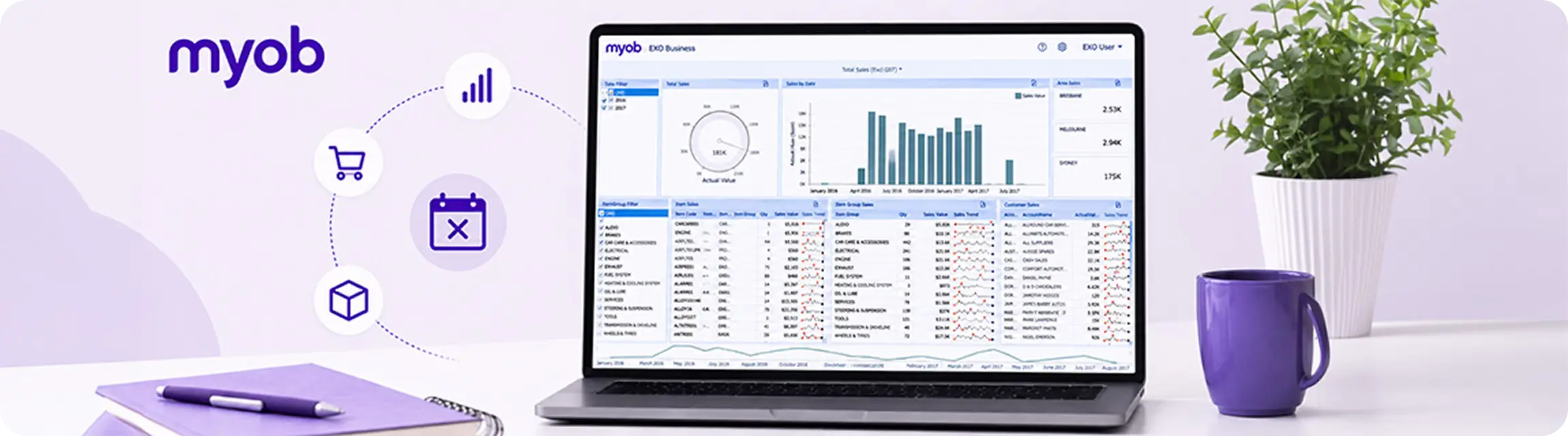
For many Australian businesses, MYOB EXO has been the backbone of operations for more than a decade. From inventory management and customer pricing through to order processing and reporting, it has helped retailers, wholesalers and distributors scale their businesses and support increasingly complex operations.
However, with MYOB announcing end-of-life milestones for EXO, many organisations are now asking an important question:
What does this mean for our eCommerce platform and the integrations we’ve built around it?
If you’re currently running Shopify or Adobe Commerce integrated with MYOB EXO, the good news is this:
You don’t necessarily need to rebuild everything.
An ERP transition can be an opportunity to modernise your back-office systems while preserving the digital experiences your customers already know and trust.
What Does MYOB EXO End of Life Actually Mean?
When software reaches end of life, it doesn’t suddenly stop working overnight. However, it does signal an important shift in risk and long-term viability.
For businesses running MYOB EXO, this may mean:
- Reduced access to vendor support and updates.
- Increasing reliance on ageing infrastructure.
- Difficulty finding implementation and development specialists.
- Greater maintenance costs over time.
- Challenges integrating with newer platforms and technologies.
- Limited ability to take advantage of modern cloud capabilities.
For many organisations, the question is no longer whether they should review their ERP strategy, but when and how to do it without disrupting the business.
How Does This Impact Your eCommerce Website?
One of the biggest concerns we hear is:
“If we’re replacing MYOB EXO, does that mean we need to replace our website too?”
In most cases, the answer is no.
Your ERP and your eCommerce platform serve different purposes.
Your website is responsible for the customer experience:
- Product discovery
- Browsing and merchandising
- Search
- Checkout
- Account management
- B2B self-service functionality
Your ERP manages operational processes such as:
- Inventory
- Pricing
- Order fulfilment
- Financial reporting
- Customer records
- Procurement
While these systems are connected, replacing one does not automatically mean replacing the other.
The Integrations That Matter Most
Most organisations running MYOB EXO have built integrations that support day-to-day operations.
These often include:
Product and Catalogue Synchronisation
Ensuring products created or updated in the ERP flow through to the website accurately.
Inventory Availability
Displaying accurate stock levels to customers in real time or through scheduled updates.
Customer Accounts
Synchronising customer information, including B2B account structures and trading relationships.
Pricing and Contract Rates
Supporting customer-specific pricing, promotions and negotiated rates.
Order Export
Sending website orders into the ERP for fulfilment and invoicing.
Credit Limits and Account Management
Particularly important for B2B environments where customers purchase on account.
These integrations often represent years of refinement and operational knowledge.
Protecting them should be a priority during any ERP transition.
The Biggest Mistake Businesses Make
One of the most common misconceptions is treating an ERP migration as a complete digital transformation project.
The thinking often goes like this:
“We’re changing ERP, so we should rebuild the website too.”
While there are situations where this makes sense, combining both initiatives significantly increases complexity, cost and risk.
Instead, many successful businesses take a phased approach:
Phase 1: Preserve the Customer Experience
Maintain the existing eCommerce platform and customer journey.
Phase 2: Transition the ERP
Move to a modern platform while replicating critical integrations.
Phase 3: Optimise
Identify opportunities to improve automation, reporting and customer experiences once the new foundation is in place.
This approach reduces disruption while allowing teams to focus on one major change at a time.
Common Migration Paths from MYOB EXO
There is no universal answer when selecting a replacement ERP. The right platform depends on your size, complexity and growth ambitions.
MYOB Acumatica
For many existing MYOB customers, Acumatica represents the most natural progression.
Benefits include:
- Cloud-native architecture.
- Modern API capabilities.
- Flexible workflows.
- Strong support for distribution and wholesale businesses.
- Continued investment from MYOB.
Its API-first approach also makes it well suited to integration with platforms such as Shopify and Adobe Commerce.
Microsoft Dynamics 365 Business Central
Often chosen by businesses already invested in the Microsoft ecosystem.
Business Central offers:
- Tight integration with Microsoft tools.
- Strong financial capabilities.
- Broad partner support.
- Scalability for growing organisations.
NetSuite
Common among larger and multi-entity organisations.
Advantages include:
- Global capabilities.
- Mature cloud infrastructure.
- Extensive functionality across finance and operations.
Other ERP Platforms
Depending on industry requirements, organisations may also evaluate platforms tailored to manufacturing, retail or specialised distribution environments.
The important point is this:
Choose the ERP that best supports your business strategy, then ensure your customer experience evolves alongside it.
What Happens to Existing Integrations?
Before any migration begins, businesses should conduct a detailed integration audit.
This process should document:
Existing Data Flows
What information moves between systems?
Examples include:
- Products
- Customers
- Orders
- Inventory
- Pricing
- Promotions
Manual Workarounds
What processes currently rely on spreadsheets, emails or staff intervention?
These are often hidden inefficiencies that can be improved.
Third-Party Dependencies
Identify integrations involving:
- Freight providers
- Payment gateways
- Marketing platforms
- Marketplaces
- Point-of-sale systems
- Warehouse solutions
Custom Business Rules
Document any logic unique to your business, such as:
- Customer-specific pricing.
- Approval workflows.
- Credit management.
- Special fulfilment processes.
Only once these areas are understood should integration design begin.
An ERP Migration Is Also an Opportunity
While change can feel daunting, many businesses discover significant benefits during the transition process.
Common improvements include:
- Removing duplicate data entry.
- Improving product data quality.
- Automating manual tasks.
- Streamlining order processing.
- Reducing operational errors.
- Enhancing B2B functionality.
- Improving reporting and visibility.
- Creating a stronger foundation for future growth.
Rather than viewing end of life as a problem to solve, it can become an opportunity to modernise operations and improve customer experiences.
A Practical MYOB EXO Transition Checklist
If your organisation is considering its next steps, this checklist can help guide discussions.
Before Selecting a New ERP
- Document all existing integrations.
- Review current workflows.
- Identify business pain points.
- Catalogue customisations.
- Define future business objectives.
Before Migration Begins
- Clean customer and product data.
- Review inventory structures.
- Validate pricing rules.
- Confirm integration requirements.
- Engage key stakeholders.
Before Go-Live
- Complete end-to-end integration testing.
- Validate order processing scenarios.
- Reconcile inventory and pricing.
- Train operational teams.
- Develop contingency plans.
After Launch
- Monitor transactions closely.
- Track exceptions and errors.
- Review operational performance.
- Optimise processes based on learnings.
- Identify opportunities for further automation.
Protecting the Customer Experience During Change
At OSE, we’ve worked with organisations across wholesale, retail and B2B commerce to integrate complex operational systems with platforms such as Shopify and Adobe Commerce.
Our experience has shown that successful ERP transitions aren’t just about selecting the right software.
They’re about ensuring customers can continue to browse, purchase and transact without disruption while the business modernises behind the scenes.
Whether you’re evaluating MYOB Acumatica, considering other ERP alternatives, or simply trying to understand what MYOB EXO end of life means for your organisation, planning early and understanding your integration landscape can significantly reduce risk.
Because replacing an ERP doesn’t have to mean rebuilding everything.
Sometimes, the smartest approach is preserving what already works and evolving the systems around it.
Frequently Asked Questions
MYOB has announced end-of-life milestones for EXO, prompting many businesses to evaluate their future ERP strategy and migration options.
Not necessarily. In many cases, Shopify and Adobe Commerce can remain in place while integrations are updated to connect with a new ERP.
Yes. Shopify can integrate with Acumatica to synchronise products, customers, inventory and orders.
Yes. Adobe Commerce supports complex ERP integrations, including B2B pricing structures, customer groups and order processing workflows.
Timelines vary depending on the complexity of existing integrations, data quality and the number of third-party systems involved. Early planning can significantly reduce risk and delays.
Start by documenting your existing integrations and operational processes. Understanding how information flows through your business provides a strong foundation for any future ERP decision.