
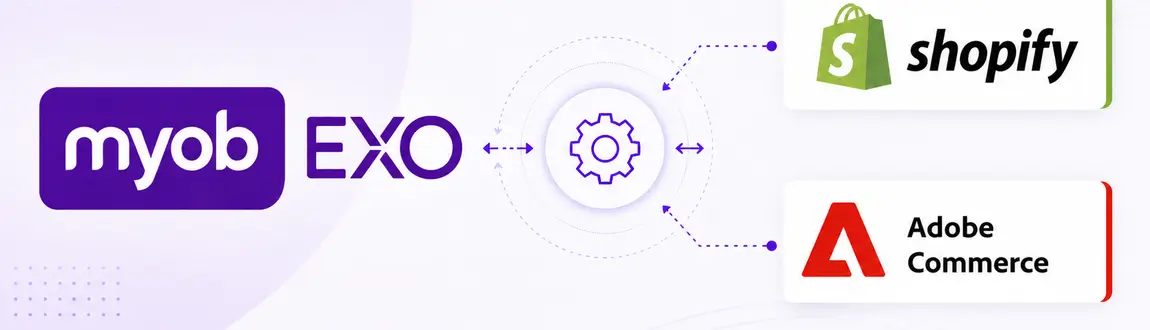
For many Australian wholesalers, distributors and retailers, MYOB EXO has been the operational backbone of the business for years. It manages inventory, customer records, pricing, purchasing and fulfilment, while eCommerce platforms such as Shopify and Adobe Commerce power the customer experience. The challenge is bringing these systems together.
A well-designed MYOB EXO integration ensures your website and ERP work as one, reducing manual processes, improving data accuracy and creating a better experience for both customers and internal teams.
Whether you’re launching a new online store, improving an existing integration or planning for the future of MYOB EXO, this guide explores everything you need to know.
What Is a MYOB EXO Integration?
A MYOB EXO integration enables information to flow between your ERP and your eCommerce platform automatically.
Instead of maintaining separate systems and manually updating data, integrations synchronise critical business information to keep operations running smoothly.
Common examples include:
- Products and product information
- Inventory levels
- Customer records
- Pricing and discounts
- Sales orders
- Credit accounts
- Shipping information
- Purchase order references
The result is a single source of truth that supports growth without increasing administrative overhead.
Why Integrate MYOB EXO with Your eCommerce Platform?
Many businesses begin with spreadsheets, CSV imports and manual order entry.
While these processes may work initially, they become increasingly difficult as order volumes grow.
Integrating MYOB EXO can help businesses:
- Eliminate duplicate data entry.
- Reduce fulfilment errors.
- Improve stock accuracy.
- Accelerate order processing.
- Support B2B trading relationships.
- Improve customer satisfaction.
- Increase operational efficiency.
- Scale without adding unnecessary administration.
Ultimately, your team spends less time moving information between systems and more time focusing on customers.
The Most Common MYOB EXO Integration Scenarios
Every organisation uses MYOB EXO differently, but several integration requirements appear consistently.
Product Synchronisation
Products often originate in MYOB EXO and need to be reflected accurately online.
This may include:
- Product names and descriptions
- SKUs
- Categories
- Attributes
- Product status
- Custom fields
- Images and media references
Automating these updates reduces inconsistencies and improves merchandising accuracy.
Inventory Synchronisation
Nothing damages trust faster than selling products that aren’t actually available.
Inventory integrations commonly support:
- Available stock quantities
- Multi-warehouse inventory
- Backorder availability
- Reserved stock
- Safety stock thresholds
- Scheduled or near real-time updates
The right approach depends on the speed and complexity of your operation.
Customer Synchronisation
Customer information often exists across multiple systems.
Synchronisation helps maintain consistency by updating:
- Customer accounts
- Contact details
- Delivery addresses
- Billing information
- Customer groups
- Trading terms
This is particularly important in B2B environments where account relationships can be complex.
Pricing and Discounts
One of the biggest challenges in B2B commerce is ensuring customers see the correct pricing.
MYOB EXO integrations can support:
- Customer-specific pricing
- Trade pricing
- Volume discounts
- Contract pricing
- Promotional pricing
- Special pricing agreements
Automating pricing removes manual intervention and reduces the risk of costly errors.
Order Integration
Once an order is placed online, it needs to move seamlessly into operational workflows.
Order integrations often include:
- Sales order creation
- Shipping instructions
- Purchase order references
- Tax calculations
- Payment status
- Order notes
- Fulfilment updates
This allows warehouse and finance teams to continue working within familiar systems.
Credit Account Management
For B2B businesses, the website often extends beyond simple transactions.
Integrations can enable:
- Credit limit visibility
- Purchase order capture
- Account payment terms
- Approval workflows
- Available balance checks
- Self-service ordering
These capabilities improve the customer experience while maintaining internal controls.
Shopify and MYOB EXO Integration
Shopify has evolved significantly and is increasingly being adopted by wholesalers and distributors.
When integrated with MYOB EXO, Shopify can support both B2C and B2B requirements.
Common Shopify integration scenarios include:
- Product synchronisation
- Inventory updates
- Customer account creation
- Order exports
- Trade pricing
- Multi-location stock visibility
- B2B purchasing experiences
For growing businesses, Shopify’s ease of use combined with MYOB EXO’s operational capabilities can create a powerful commerce ecosystem.
Adobe Commerce and MYOB EXO Integration
Adobe Commerce is often chosen by organisations with more sophisticated requirements.
MYOB EXO integrations for Adobe Commerce commonly support:
- Shared catalogues
- Customer-specific pricing
- Company accounts
- Quote workflows
- Multiple customer groups
- Multi-warehouse inventory
- ERP-driven catalogues
- Complex B2B experiences
Its flexibility makes Adobe Commerce particularly well suited to organisations with advanced operational requirements.
Does MYOB EXO Have an API?
Yes.
MYOB EXO provides an API that enables third-party systems to exchange information with EXO Business environments.
The API can be used to facilitate the synchronisation of products, customers, orders and other business data between systems.
However, successful integrations involve much more than connecting endpoints.
Businesses also need to consider:
- Data mapping
- Validation rules
- Error handling
- Security requirements
- Performance considerations
- Monitoring and support
- Future scalability
Technical capability alone does not guarantee a successful outcome.
How to Approach a MYOB EXO Integration Project
The most successful integrations begin with understanding how the business actually operates.
1. Discovery
Document:
- Existing workflows
- Manual processes
- Integration objectives
- Business rules
- Current pain points
2. Solution Design
Define:
- Data flows
- Synchronisation frequency
- Source-of-truth ownership
- Security requirements
- Exception handling processes
3. Development
Build integrations aligned to operational requirements rather than forcing the business to adapt to generic connectors.
4. Testing
Validate:
- Product updates
- Pricing accuracy
- Customer synchronisation
- Inventory calculations
- Order processing
- Error scenarios
Comprehensive testing reduces risk at launch.
5. Ongoing Optimisation
Business requirements evolve over time.
Regular reviews can identify opportunities to improve efficiency, automate additional processes and support growth.
Preparing for the Future of MYOB EXO
Many businesses are now considering the long-term future of their ERP environments.
Importantly:
Replacing MYOB EXO does not necessarily mean replacing your eCommerce platform.
A well-designed integration architecture can preserve the customer experience while enabling a transition to newer ERP solutions.
By documenting existing integrations and understanding critical business processes, organisations can reduce disruption and make more informed decisions about the future.
If you’re currently evaluating your options, you may also find our guide to MYOB EXO End of Life: What eCommerce Businesses Need to Know useful.
Why Choosing the Right Integration Partner Matters
Integrating MYOB EXO isn’t simply about moving data from one system to another.
It’s about understanding how your business operates and ensuring technology supports those processes effectively.
For eCommerce businesses, even small integration issues can have significant consequences:
- Incorrect pricing
- Overselling inventory
- Delayed fulfilment
- Poor customer experiences
- Increased administration
Choosing a partner with experience in both ERP integrations and eCommerce platforms helps reduce risk and creates a stronger foundation for growth.
Frequently Asked Questions
Yes. Shopify can integrate with MYOB EXO to synchronise products, inventory, customers and orders while supporting both B2C and B2B requirements.
Yes. Adobe Commerce supports sophisticated MYOB EXO integrations, including customer-specific pricing, company accounts and complex B2B workflows.
Yes. MYOB EXO provides API capabilities that allow third-party systems to exchange information with EXO Business environments.
Yes. With the right integration design, MYOB EXO can support customer-specific pricing, account terms, approval workflows and self-service ordering experiences.
Not necessarily. Many organisations retain their existing Shopify or Adobe Commerce platform while adapting integrations to connect with a new ERP.
Timelines vary depending on complexity, customisations and the number of systems involved. A discovery phase is typically the best way to understand scope and identify potential risks.
A successful MYOB EXO integration should do more than automate transactions. It should remove friction, improve operational visibility and create the confidence needed to scale your eCommerce business without leaving your systems behind.