

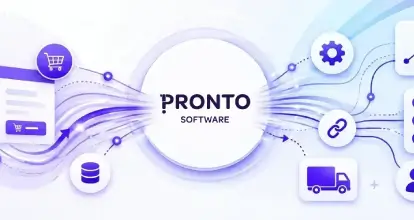
Integrating Pronto Xi with your eCommerce platform connects online ordering with the systems that manage your inventory, customer accounts, pricing and fulfilment. Done well, it reduces manual data entry and gives customers more accurate stock information and pricing.
The challenge is making that connection work with your business rules. Customer-specific prices, multiple warehouses, credit terms and wholesale ordering can all affect how the integration needs to be designed.
Whether you’re planning a new Shopify or Adobe Commerce website, or improving an existing Pronto Xi integration, this guide explains the key data flows, platform considerations and common pitfalls—and what to clarify before development begins.
eCommerce Platforms that Integrate with Pronto Xi
The three most common integration options in the Australian market for Pronto Xi customers are Shopify, Adobe Commerce (Magento) and WooCommerce.
| Platform | Description | Considerations |
|---|---|---|
| Shopify | Widely used for good reason. Product and inventory synchronisation, order flow into Pronto Xi and despatch updates back to Shopify are well-trodden patterns that work reliably. | For B2C businesses, a Shopify and Pronto Xi integration covers most requirements cleanly. For B2B businesses with complex wholesale pricing and account structures, Shopify Plus has limitations, and the integration logic required to replicate Pronto Xi’s account management does need custom development. |
| Adobe Commerce | Platform of choice for businesses with more complex requirements, particularly those running B2B and B2C simultaneously, or those with large catalogues and sophisticated pricing structures. | Adobe Commerce is a great fit for Pronto integration projects. Company accounts, role-based purchasing permissions, customer-specific catalogues, negotiated pricing and purchase order workflows are all built in. Integrations requiring this level of functionality tend to be more architecturally complex, but the investment is justified for demanding business models. |
| WooCommerce | Integrations with Pronto Xi are less common in the mid-market. | Carry higher ongoing maintenance overhead due to the lack of standardised implementation approaches surrounding WooCommerce. Integrations often require more bespoke middleware development to achieve a fit-for-purpose outcome. |
Data Flows Between Pronto Xi and eCommerce Platforms
Regardless of which eCommerce platform you’re on, the core data flows between Pronto Xi and your commerce platform follow a consistent pattern.
Product and catalogue data. Pronto Xi maintains the operational product record — codes, descriptions, units of measure, pricing, weights and dimensions. The integration pushes this into the eCommerce platform, which adds the merchandising layer: enriched content, images, SEO metadata and attributes optimised for online discovery. Establishing which system owns which fields matters here. Pronto Xi owns the operational record. The eCommerce platform owns the presentation. When both systems try to manage the same fields, data conflicts follow.
Inventory synchronisation. Real-time or near-real-time stock accuracy is one of the most operationally critical parts of any Pronto Xi integration. Inventory levels change constantly — orders are picked, stock is received, transfers move product between locations. Customers who see incorrect availability online create overselling risk, fulfilment pressure and customer service overhead. Businesses with multiple warehouses need clear decisions about whether customers see consolidated stock or location-specific availability before development begins.
Customer account synchronisation. Pronto Xi holds account codes, contact details, addresses, account status, credit limits and trading terms. The eCommerce platform needs this to allow customers to log in, view their correct pricing and place orders against their trading relationship. Synchronisation typically runs in both directions — new accounts from the website flowing into Pronto Xi, and changes to account status or credit limits flowing back to the platform.
Pricing synchronisation. Pricing is almost always the most complex data flow in a Pronto Xi integration. Customer-specific pricing, contract rates, volume breaks, promotional pricing and account-based discounts are common in Pronto Xi environments — and they need to be replicated accurately online. An incorrect price displayed to a contract customer is either a customer service issue or a margin problem. Pricing configuration deserves dedicated discovery time before integration development starts.
Order synchronisation. Orders placed on the eCommerce platform need to flow into Pronto Xi to trigger a fulfilment workflow creating a sales order with the correct account, pricing, delivery address and freight method, before tracking information can be sent back to the website. The reliability of this flow is non-negotiable. A missed order is a missed delivery, and the integration needs to catch and alert on failures immediately
Pronto Xi Integration in Practice: Pedders Suspension
 OSE implemented a comprehensive commerce solution for Pedders Suspension, connecting Adobe Commerce with Pronto Xi, Avenue and a range of third-party technologies across both B2B and B2C operations.
The project extended beyond connecting a storefront to an ERP. It required multiple technologies to work together, supporting the distinct requirements of business buyers and retail customers within a connected commerce environment.
For businesses planning a Pronto Xi integration, Pedders illustrates why discovery needs to consider the wider technology ecosystem.
The scope should account for how the commerce platform, Pronto Xi and other systems interact across each sales channel.
Explore our Pedders Suspension case study
Understanding the Pronto Xi API
The most reliable modern integrations are built on Pronto Xi’s REST API, which Pronto Software has developed significantly across recent platform versions. The REST API provides a clean, secure integration surface and supports standard HTTP methods for reading and writing products, inventory, customers, orders and pricing.
Earlier integration approaches involving direct database access, scheduled file exports, and XML exchange still exist in many long-running environments but carry real drawbacks. They create tight coupling to specific database structures, they’re difficult to maintain across Pronto Xi upgrades and provide no native support for real-time data exchange or API-level error handling. If your integration was built using these methods, a migration to the REST API is worth evaluating.
Version currency matters directly to integration health. Older versions of Pronto Xi may lack the API endpoints that modern integration patterns depend on. Running a significantly out-of-date version limits what’s possible and increases the risk that platform maintenance — on either side — breaks the integration unexpectedly. Documenting API dependencies and validating integration behaviour after any platform upgrade should be standard practice.
Integration Architecture and Best Practices
A Pronto Xi eCommerce integration involves three components: the eCommerce platform, the ERP and the middleware layer that sits between them. Getting the middleware architecture right is as important as getting the data flows right.
Process data asynchronously where possible. Rather than making real-time API calls to Pronto Xi every time a customer interacts with the website, asynchronous processing queues operations in the background. This decouples the two systems so that a temporary Pronto Xi response delay doesn’t affect website performance. Reserve synchronous real-time calls for scenarios where immediacy is genuinely required, such as a live stock check at checkout for high-velocity products.
Design for failure, not just success. Every integration will fail at some point, this may be an API timeout, a missing data field, an order combination that wasn’t anticipated. The goal isn’t to eliminate failures but to catch them before customers notice. A well-built integration includes automated retry logic for transient failures, comprehensive transaction logging, clear alerting when failure rates exceed a threshold, and documented recovery procedures for persistent issues.
Build idempotent operations. An operation that can be safely executed multiple times without unintended side effects protects against the real-world reality that messages are sometimes delivered more than once. Checking whether a customer already exists before creating a new record, whether an order has already been processed before submitting it again — these practices prevent the duplicate records and orphaned transactions that accumulate in production over time.
Establish a clear system of record. Pronto Xi manages inventory, pricing and customer accounts. The eCommerce platform manages content, merchandising and the customer experience. When this boundary is defined clearly and maintained consistently, data conflicts are rare and troubleshooting is straightforward.
NewRelic for Monitoring and Error Logging
For businesses running Adobe Commerce on Adobe’s cloud infrastructure, NewRelic is included and provides comprehensive application performance monitoring across the entire environment — including integration-specific workflows connecting to Pronto Xi.
NewRelic gives operations teams real-time visibility into API response times, error rates, failed transactions and system performance. If an integration failure occurs such as a failed order submission to Pronto Xi, a timeout during inventory synchronisation, or an exception in customer account processing, these can all be captured with full stack traces. Teams can investigate and resolve issues within minutes rather than learning about them from customer complaints.
Alert policies in NewRelic should be configured for critical integration flows. Order synchronisation failures in particular should trigger immediate notification. Performance baselines built over time make anomalies visible such as a spike in error rate after a Pronto Xi upgrade becomes obvious when you have historical data to compare against.
For Shopify-based integrations where NewRelic isn’t natively available, equivalent monitoring should be implemented at the middleware layer. The principle is consistent regardless of platform: failures will occur, and the measure of a well-built integration is how quickly they’re detected and resolved.
B2B and B2C Commerce with Pronto Xi
Pronto Xi has always been strong in complex B2B environments — account-based selling, negotiated pricing, credit management, EDI with major retail accounts and wholesale order management at scale. Connecting this to a modern B2B eCommerce platform replaces phone and email ordering with a self-service channel that reflects each customer’s real trading terms. Customer-specific pricing displays correctly at login, credit limits are enforced, orders carry the right account attributes, and customers with multiple buyers and approval workflows have those structures reflected online.
For businesses selling direct to consumers alongside wholesale operations, Pronto Xi provides the operational foundation while the eCommerce platform manages the customer experience. B2C integration is typically simpler in design, but it needs to be reliable on the fundamentals: stock accuracy, order processing speed and timely fulfilment updates. Where B2B and B2C run from the same Pronto Xi instance, clear design decisions about inventory allocation, order typing and channel reporting need to be made at the design stage rather than retrofitted later.
Common Pitfalls to Avoid
Skipping the data audit. Pronto Xi instances that have been running for years frequently carry data quality issues, duplicate customer records, inconsistent product codes, pricing conflicts, and missing attributes. These don’t get resolved by the integration. They get surfaced by it in production. A data audit before development begins is one of the most reliable ways to reduce implementation risk.
Underestimating pricing complexity. Pricing structures that have grown organically over years are often far more complex than they appear from the outside. Dedicated discovery time to map pricing logic fully is consistently one of the highest-value investments in any Pronto Xi integration project.
Treating the integration as a one-time project. Platform upgrades, new product types, additional warehouses and evolving business processes all surface ongoing integration change requirements. Businesses that treat integration as a managed component of their technology stack — with support, monitoring and a clear change process — gain significantly more long-term value than those who treat it as set-and-forget.
What Affects Pronto Xi Integration Cost and Delivery Time?
The cost and delivery time of a Pronto Xi eCommerce integration depend on the complexity of your business processes and the systems involved. Key factors include:
- Data flows: which products, stock, prices, customers, orders and fulfilment updates need to move between systems.
- B2B requirements: customer-specific pricing, credit terms, account structures and purchasing permissions.
- Warehouses and sales channels: how inventory and orders are managed across locations, B2B and B2C operations.
- Existing technology: your Pronto Xi version, available integration interfaces, middleware and third-party systems.
- Data quality: whether product, customer and pricing records need cleaning or mapping before integration.
- Testing and rollout: the scenarios that must be validated and how the new integration will replace existing processes.
A discovery phase should establish these requirements before a detailed estimate is prepared. Documenting the data flows, business rules and dependencies gives everyone a clearer understanding of the work involved and reduces the likelihood of unexpected scope changes during development.
A Practical Pronto Xi Integration Checklist
Before beginning, document the following:
- Which eCommerce platform is involved and what version is running
- What version of Pronto Xi is in use and whether the REST API is available
- Which data flows are required
- How inventory is structured across locations
- How customer pricing is structured and how complex the replication will be
- What undocumented business rules exist
- What third-party systems connect to either platform
- What monitoring and alerting will be in place post-launch, including NewRelic configuration for Adobe Commerce environments
- And what the upgrade and maintenance process will be for both platforms ongoing.
Frequently Asked Questions
Yes. Pronto Xi integrates with Shopify via REST API to synchronise products, inventory, customers, pricing and orders. Most integrations use custom middleware or a supported integration platform to manage data flows and error handling between the two systems.
Yes. Adobe Commerce integrates with Pronto Xi to support both B2B and B2C operations. Adobe Commerce’s native B2B functionality — company accounts, customer-specific pricing, purchase order workflows — makes it particularly well-suited to complex Pronto Xi wholesale environments.
Most integrations cover products, inventory availability, customer account records, pricing, orders, despatch updates and invoices. The specific flows depend on whether the integration is supporting B2B, B2C or both.
Timelines depend on pricing complexity, the number of data flows, data quality and the number of third-party systems involved. A thorough discovery process before development begins is the most reliable way to produce an accurate timeline and avoid scope changes mid-delivery.
Start with an integration audit — map the current data flows, document known failure patterns and review what monitoring is in place. For Adobe Commerce environments, NewRelic will surface errors that may not be visible at the application layer. Understanding the root cause clearly is the foundation for any remediation plan.
Make Your Pronto Xi Integration Work for Your Business
Your integration needs to reflect how your business actually operates, from customer-specific pricing and credit terms to stock availability, order processing and fulfilment across multiple locations.
OSE designs and delivers Pronto Xi integrations that connect your commerce platform with the wider business, supporting complex pricing, customer accounts and operational workflows across B2B and B2C channels.
OSE can assess your Pronto Xi environment, define required data flows and business rules, and develop an integration approach aligned with your commerce and operational requirements. Enquire today for more information.