
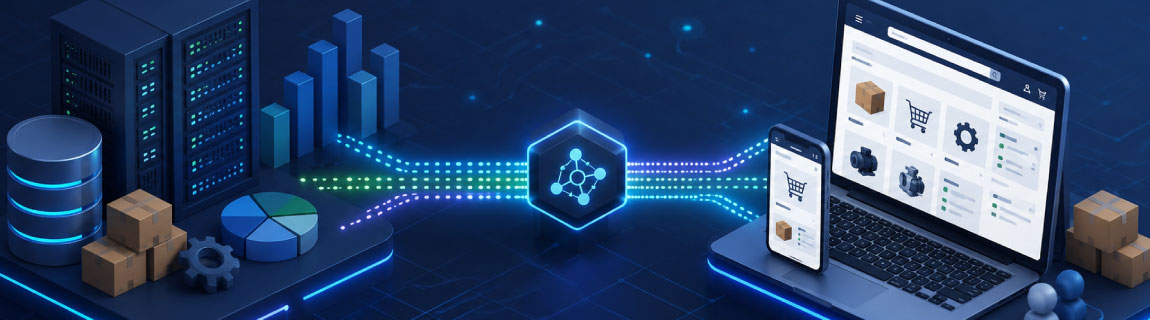
For many B2B businesses, launching a new eCommerce platform is not primarily a website project. It is an operational integration project.
The online experience may be delivered through Shopify Plus, Adobe Commerce or another eCommerce platform, but much of the information required to serve customers already exists elsewhere.
Products, inventory, customer accounts, contract pricing, credit limits, invoices, order history and fulfilment information are often managed within the ERP.
The success of a B2B eCommerce platform therefore depends on how reliably the eCommerce environment connects with the ERP and how clearly each system’s responsibilities are defined.
A well-designed integration can reduce manual order processing, improve customer self-service and provide more accurate information across the business. A poorly designed integration can create duplicate data, delayed updates, order failures and ongoing support problems.
This guide explains the key considerations when integrating an ERP with a B2B eCommerce platform.
What Is ERP Integration for B2B eCommerce?
ERP integration connects an eCommerce platform with the system used to manage the operational and financial side of the business.
In a typical B2B environment, the ERP manages:
- Product records
- Customer accounts
- Customer-specific pricing
- Inventory
- Warehouse availability
- Sales orders
- Credit limits
- Payment terms
- Invoices
- Purchasing
- Fulfilment
- Financial reporting
The eCommerce platform manages the online buying experience, including product discovery, account access, ordering, content and customer self-service.
Integration allows information to move between these systems without requiring staff to re-enter it manually.
For example, a customer may sign into a B2B portal, view their agreed pricing, place an order against available inventory and later download the invoice. The underlying information may come from several ERP records, even though the customer experiences it through a single online interface.
Why ERP Integration Matters in B2B eCommerce
B2B eCommerce requirements are usually more complex than standard retail transactions.
A consumer store may display one price and one catalogue to every customer. A B2B business may need to support:
- Different prices for individual customers
- Contract-specific product ranges
- Multiple customer accounts and buyers
- Purchase order numbers
- Credit terms
- Approval workflows
- Multiple warehouses
- Minimum order quantities
- Pack sizes
- Backorders
- Account-based freight rules
- Customer-specific payment methods
These requirements are often already represented within the ERP.
Without integration, the eCommerce platform may operate as a separate channel that staff must constantly reconcile with the rest of the business. Orders may need to be entered manually. Pricing may need to be updated in multiple locations. Customers may see stock that is no longer available.
ERP integration is what allows the B2B eCommerce platform to operate as part of the wider business rather than as an isolated website.
Which Data Should Be Integrated?
The exact data flows depend on the business, the ERP and the eCommerce platform. However, most B2B integrations include several common areas.
Product Information
The ERP often contains the core product record, including:
- Product codes
- SKUs
- Product names
- Status
- Units of measure
- Pack quantities
- Tax settings
- Base pricing
- Product availability
However, the ERP may not contain all of the information needed to create a strong online product experience.
Images, detailed descriptions, technical documents, specifications, attributes and search data may instead be managed in the eCommerce platform or a product information management system.
This means the business must define which system owns each field.
For example, the ERP may own the product code and status, while the eCommerce platform owns the product description and merchandising content.
Clear ownership prevents one system from overwriting useful information maintained in another.
Inventory and Warehouse Availability
Inventory is one of the most important integration points.
B2B customers often need to understand whether products are available before committing to an order. However, inventory can be more complicated than displaying a single number.
A business may need to consider:
- Multiple warehouse locations
- Available stock
- Allocated stock
- Incoming purchase orders
- Backordered quantities
- Safety stock
- Branch-specific inventory
- Customer-specific warehouse access
- Different fulfilment locations
The integration must determine which inventory value should be displayed and how frequently it should be updated.
For some businesses, near real-time inventory is important. For others, a scheduled update every few minutes may be sufficient.
The correct approach depends on order volume, stock movement and the risk of overselling.
Customer Accounts
B2B customers are usually represented as accounts rather than individual shoppers.
An account may have:
- Multiple buyers
- Multiple delivery addresses
- Different billing addresses
- Account-specific pricing
- Assigned sales representatives
- Credit terms
- Order limits
- Customer groups
- Approval rules
- Access to specific products
The ERP may store the primary customer account, while the eCommerce platform manages the individual users who access it.
The integration must map these relationships accurately.
It should also define what happens when a new buyer registers, a customer changes address or an account is placed on hold.
Customer-Specific Pricing
Pricing is one of the most complex areas of B2B eCommerce integration.
A business may use:
- Customer-specific prices
- Price groups
- Contract pricing
- Volume discounts
- Promotional pricing
- Quantity breaks
- Branch pricing
- Region-based pricing
- Currency-based pricing
- Product-specific agreements
In many cases, these pricing rules are managed in the ERP.
The eCommerce platform needs access to the correct price when a customer signs in, browses products or creates an order.
There are several ways to achieve this.
Pricing may be synchronised from the ERP into the eCommerce platform. Alternatively, the platform may request a price from the ERP when the customer views a product or checks out.
Each approach has implications for speed, reliability and complexity.
Synchronised pricing can provide a faster browsing experience, but requires reliable data updates. Real-time price requests can provide greater accuracy, but may place additional dependency on the ERP.
The right approach depends on the number of customers, products, price combinations and transactions involved.
Sales Orders
When a customer submits an order, it usually needs to be created in the ERP.
The order integration may include:
- Customer account
- Delivery address
- Billing address
- Product codes
- Quantities
- Prices
- Discounts
- Freight
- Tax
- Purchase order number
- Delivery instructions
- Payment method
- Requested delivery date
The integration must validate that the order has been transferred successfully.
It should also account for situations where the ERP is temporarily unavailable or rejects the order.
An eCommerce platform should not simply assume that an order has been received because it was submitted online.
A robust integration records the transaction, provides a retry process and alerts the appropriate team when intervention is required.
Order Status and Fulfilment
Customers increasingly expect to track orders without contacting a sales representative.
The ERP may provide information such as:
- Order received
- Order approved
- Picking
- Partially fulfilled
- Dispatched
- Backordered
- Cancelled
- Completed
Shipment tracking details may come from the ERP, warehouse management system or freight provider.
This information can be sent back to the eCommerce platform and displayed within the customer account.
The result is a more useful self-service experience and fewer routine enquiries for the customer service team.
Invoices and Account Documents
B2B customers may need access to more than order confirmation emails.
A customer portal may provide:
- Tax invoices
- Credit notes
- Statements
- Outstanding balances
- Order history
- Proof of delivery
- Account documents
These records are usually managed in the ERP or financial system.
The eCommerce platform may display them through a secure account area or provide links to generated documents.
This can significantly reduce the administrative work associated with responding to invoice and account requests.
Credit Limits and Payment Terms
Many B2B customers purchase using account credit rather than paying by card.
The ERP may manage:
- Credit limits
- Available credit
- Payment terms
- Overdue balances
- Account holds
- Approved payment methods
The eCommerce platform must determine whether the customer can place an order and which payment options should be available.
For example, a customer may usually purchase on 30-day terms but be required to pay by card when their account is overdue.
These rules should be clearly defined and tested before launch.
Real-Time Integration vs Scheduled Synchronisation
One of the first architectural decisions is whether data needs to move in real time or on a schedule.
Real-time integration attempts to transfer or retrieve information immediately. Scheduled integration processes information at defined intervals.
Neither approach is automatically better.
When Real-Time Integration May Be Appropriate
Real-time integration may be useful when:
- Inventory changes rapidly
- Pricing must always reflect current ERP rules
- Orders need immediate validation
- Credit availability affects checkout
- Customers expect up-to-date account information
- Delayed data could create material operational risk
However, real-time integration creates a stronger dependency between systems.
If the ERP is unavailable, the eCommerce experience may also be affected.
This means timeouts, fallback behaviour and error handling must be considered carefully.
When Scheduled Integration May Be Appropriate
Scheduled synchronisation may be suitable when:
- Data does not change frequently
- Short delays are operationally acceptable
- The ERP has limited API capacity
- Large data volumes need to be processed in batches
- The eCommerce platform should continue operating if the ERP is temporarily unavailable
A common B2B architecture uses a combination of both.
Products and customer records may be synchronised on a schedule, while orders are transferred shortly after checkout. Certain data, such as credit availability or complex pricing, may be requested in real time.
Direct API Integration vs Middleware
Another important decision is whether the eCommerce platform should connect directly to the ERP or communicate through middleware.
Direct API Integration
A direct integration connects the eCommerce platform with the ERP through their available APIs.
This can work well when:
- Only two systems are involved
- Data flows are relatively straightforward
- The ERP has reliable APIs
- Transaction volumes are manageable
- Limited data transformation is required
- The integration has a clearly defined owner
A direct connection can reduce the number of components involved.
However, point-to-point integrations can become difficult to manage as more systems and channels are added.
If the business later introduces a PIM, CRM, warehouse platform, marketplace or additional storefront, each direct connection may require separate logic.
Middleware-Led Integration
Middleware sits between the eCommerce platform and the ERP.
It may manage:
- Data transformation
- Message queues
- Authentication
- Routing
- Retry processing
- Logging
- Exception handling
- Monitoring
- Connections to multiple systems
Middleware can reduce the dependency between platforms and provide a central place to manage integration logic.
This is often valuable in more complex environments involving:
- Multiple storefronts
- B2B and B2C channels
- Multiple warehouses
- More than one ERP
- A PIM
- A CRM
- Marketplace integrations
- Freight systems
- Legacy applications
However, middleware is not always necessary.
Adding infrastructure where it is not required can increase implementation effort and ongoing support responsibilities.
The decision should be based on operational complexity, system limitations and future plans rather than on a preference for one architecture.
Defining the Source of Truth
Every important data field should have a clearly defined source of truth.
The source of truth is the system responsible for maintaining the authoritative version of the data.
For example:
| Data | Possible Source of Truth |
|---|---|
| Product code | ERP |
| Inventory | ERP or warehouse system |
| Product description | eCommerce platform or PIM |
| Customer account | ERP |
| Website user login | eCommerce platform |
| Customer pricing | ERP |
| Product images | PIM or eCommerce platform |
| Sales order | ERP after submission |
| Marketing consent | CRM or marketing platform |
Problems arise when multiple systems can update the same field without a clear rule.
A customer address changed online may be overwritten by an older ERP record during the next synchronisation. A product description written for the website may be replaced by a short internal ERP description.
A detailed data ownership matrix should be created before development begins.
Integration Error Handling
Integration failures are inevitable.
An ERP may be unavailable. An API may time out. A product code may be missing. An order may contain a value the receiving system does not accept.
The objective is not to pretend failures will never happen. It is to design a process that identifies and resolves them quickly.
A robust integration should include:
- Transaction logging
- Clear error messages
- Automated retries
- Duplicate prevention
- Alerts
- Exception queues
- Manual reprocessing
- Audit history
- Monitoring dashboards
The business should know when an order has failed to reach the ERP and who is responsible for resolving it.
Without this visibility, failures may only be discovered when a customer calls to ask why an order has not been dispatched.
When an existing connection starts dropping orders or applying incorrect data, our guide to diagnosing and recovering from ERP integration failures explains how to trace the fault, contain its impact and restore the affected transactions safely.
Avoiding Duplicate Transactions
Duplicate orders can occur when an integration retries a transaction after receiving an unclear response.
For example, the ERP may successfully create an order but fail to return confirmation to the eCommerce platform. The platform may then attempt to submit the order again.
Integrations should use unique transaction identifiers and idempotent processing where possible.
This allows the receiving system to recognise that a transaction has already been processed rather than creating it twice.
The same principle applies to customers, payments, shipments and other records.
Security and Access Control
ERP integrations often transfer commercially sensitive information.
This may include:
- Contract pricing
- Customer balances
- Account details
- Order information
- Inventory
- Financial records
- Personal information
The integration should use secure authentication, encrypted connections and appropriate access controls.
It should also restrict each integration service to the data and actions it requires.
An eCommerce integration should not receive unrestricted access to the ERP if it only needs to create orders and retrieve inventory.
Security requirements should be considered as part of the architecture rather than added after development.
ERP Performance and Availability
Many ERP systems were not originally designed to support high volumes of customer-facing requests.
An eCommerce platform may create significant demand through product browsing, pricing requests, inventory checks and account activity.
Before implementing real-time integration, the business should assess:
- API performance
- Request limits
- Concurrent connections
- ERP maintenance windows
- Response times
- Database load
- Vendor restrictions
- Cloud versus on-premise access
Where the ERP cannot reliably support the required volume, data may need to be cached or synchronised into another system.
The customer experience should not depend on an ERP response that takes several seconds for every product viewed.
Cloud ERP vs On-Premise ERP Integration
Cloud ERP platforms often provide modern APIs and managed infrastructure, but the quality and coverage of those APIs still vary.
On-premise ERP systems may require additional considerations, including:
- Secure network connectivity
- VPN access
- Firewalls
- Integration agents
- Legacy protocols
- Database access
- Custom endpoints
- Scheduled maintenance
- Internal IT involvement
An on-premise ERP can still be integrated successfully, but the architecture must account for access, performance and availability.
In some cases, middleware hosted in a secure cloud environment provides a controlled bridge between the eCommerce platform and the internal ERP.
Data Quality Before Integration
Integration does not fix poor data. It distributes it more efficiently.
Before connecting the ERP to the eCommerce platform, businesses should review:
- Duplicate customer accounts
- Inactive products
- Missing product codes
- Inconsistent units of measure
- Invalid addresses
- Outdated pricing
- Incorrect tax settings
- Missing customer groups
- Poor product names
- Incomplete category structures
Data preparation is often one of the most important parts of an eCommerce project. At OSE, we have a saying, “Bad data in, bad data out”. What this means is, if you fail to spend time on your product data, your success in commerce will likely be lower than you may be hoping for.
Therefore a technically successful integration can still produce a poor customer experience if the source data is incomplete or inconsistent.
Supporting Multiple Warehouses
B2B businesses often fulfil orders from multiple locations.
The eCommerce platform may need to determine:
- Which warehouse serves the customer
- Whether stock should be displayed by location
- Whether orders can be split
- Whether customers can choose a branch
- How freight is calculated
- How backorders are handled
- Whether certain products are restricted by region
These decisions may involve the ERP, warehouse management system and eCommerce platform.
Warehouse logic should be defined early because it can affect inventory, checkout, delivery estimates and order routing.
Supporting B2B and B2C Together
Some businesses operate B2B and B2C channels from the same eCommerce platform.
This can create efficiencies, but it also introduces additional complexity.
The business may need different:
- Prices
- Product catalogues
- Payment methods
- Tax treatment
- Freight rules
- Promotions
- Inventory allocations
- Customer experiences
- Order workflows
The ERP integration must distinguish between channels while maintaining consistent data.
It should also prevent B2B pricing, terms or account information from being exposed to retail customers.
Preparing the ERP for a B2B eCommerce Project
Before development begins, the business should confirm whether the ERP can support the proposed experience.
Important questions include:
- Does the ERP provide documented APIs?
- Can customer-specific pricing be retrieved efficiently?
- How is available inventory calculated?
- Can orders be created through an API?
- How are order failures returned?
- Can invoices and order history be accessed?
- Are there API limits?
- Is the ERP cloud-hosted or on-premise?
- Who supports the ERP?
- Are customisations already in place?
- Will the ERP vendor need to participate?
- Are there sandbox or test environments?
Discovering major ERP limitations after the eCommerce build has started can lead to delays and architecture changes.
Technical discovery should therefore include the ERP, not just the eCommerce platform.
Testing ERP Integration
Integration testing should cover more than successful transactions.
It should include scenarios such as:
- Valid orders
- Invalid products
- Insufficient inventory
- Customer accounts on hold
- Incorrect pricing
- Missing addresses
- ERP downtime
- API timeouts
- Duplicate submissions
- Partial fulfilment
- Backorders
- Cancelled orders
- Failed payments
- Unavailable warehouses
- Large orders
- High transaction volumes
Testing should also confirm that staff can identify and resolve failures after launch.
An integration is not operationally complete until the support process has been tested.
Common ERP Integration Mistakes
Several problems appear repeatedly in B2B eCommerce projects.
Treating the Integration as a Final Development Task
Integration should influence the platform architecture, data model and customer experience from the beginning.
Leaving it until the end often exposes assumptions that are difficult to change.
Replicating ERP Limitations Online
The eCommerce platform should not necessarily reproduce every internal ERP process.
Some ERP workflows are designed for staff rather than customers.
The objective should be to create a useful online experience while respecting operational requirements.
Assuming All Data Must Be Real-Time
Real-time integration is not always necessary and can introduce avoidable dependencies.
The timing of each data flow should be based on business need.
Failing to Define Data Ownership
When two systems can update the same information, inconsistent records and overwrites become likely.
Ignoring Failure Scenarios
A successful demonstration does not prove that the integration can handle outages, invalid data or duplicate transactions.
Underestimating Data Preparation
Poor customer, product and pricing data can delay the project and reduce the value of the final platform.
Building Without Monitoring
Without logging and alerts, the business may have no visibility when transactions fail.
Choosing an eCommerce Platform for ERP Integration
Shopify Plus and Adobe Commerce both support sophisticated ERP-connected B2B environments, but they approach extensibility and B2B functionality differently.
The right choice depends on factors such as:
- Customer account complexity
- Pricing requirements
- Product catalogue size
- Checkout requirements
- Integration architecture
- Multi-site requirements
- B2B and B2C coexistence
- Internal technical capability
- Required customisation
- Ongoing support model
The ERP should be considered during platform selection.
A platform may appear suitable from a customer experience perspective but require significant customisation to support the required data and workflows.
A Staged Approach to ERP Integration
Not every capability needs to launch at once.
A staged implementation may begin with:
- Customer accounts
- Products
- Pricing
- Inventory
- Order submission
Later phases may introduce:
- Invoices
- Statements
- Credit visibility
- Approval workflows
- Returns
- Reordering
- Advanced fulfilment
- Sales representative functionality
A staged approach can reduce delivery risk and allow the business to validate the most important workflows first.
However, the long-term architecture should still be considered from the beginning so that early decisions do not limit later phases.
How OSE Approaches ERP-Connected B2B eCommerce
OSE designs and develops B2B eCommerce platforms that connect with the systems already operating across the business.
Our work includes integrations involving platforms such as:
- MYOB EXO
- MYOB Acumatica
- Microsoft Dynamics 365
- Pronto Xi
- SAP
- NetSuite
- Infor M3
- Cin7
- Apparel21
- Odoo
- Retail Express
We work across Shopify Plus and Adobe Commerce environments, supporting requirements such as account pricing, customer catalogues, multiple warehouses, order workflows, invoices and customer self-service.
Our approach begins with understanding the operational model, the available ERP interfaces and the ownership of each data set.
This allows the integration architecture to be designed around the business rather than forcing the business into a generic connector.
Building a Reliable B2B eCommerce Foundation
ERP integration is one of the most important components of a B2B eCommerce project.
It determines whether customers can rely on the information they see, whether orders move through the business efficiently and whether internal teams can manage the platform without adding unnecessary administration.
The strongest integrations are not defined only by the number of systems connected.
They are defined by clear data ownership, appropriate synchronisation, visible exception handling and an architecture that supports both current operations and future growth.
For businesses planning a new B2B eCommerce platform, ERP integration should be considered from the beginning of the project, not after the website has already been designed.