
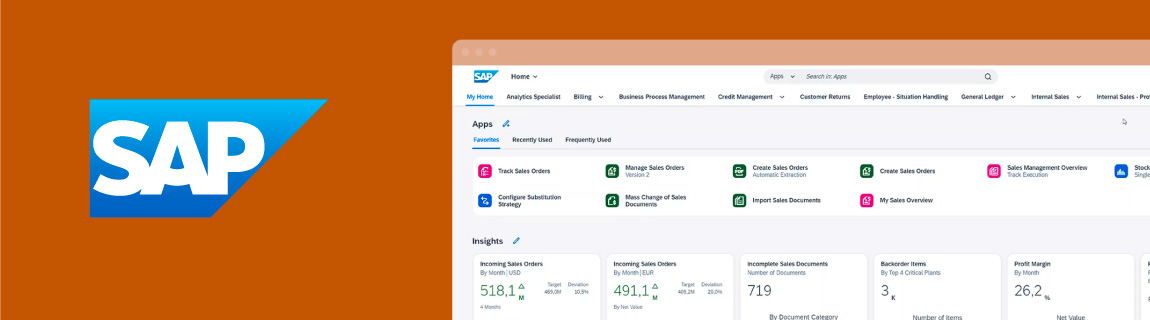
For many enterprise and mid-market businesses, SAP S/4HANA sits at the centre of operations.
It manages finance, inventory, purchasing, customer accounts, sales orders, fulfilment, reporting and core business processes. For eCommerce businesses, this makes SAP S/4HANA more than an ERP. It becomes a key part of the customer experience.
When SAP S/4HANA is properly integrated with an eCommerce platform, customers can see accurate product availability, account pricing, order history, invoices, fulfilment updates and delivery information. Internal teams benefit from fewer manual processes, cleaner order handling and better operational visibility.
When the integration is poorly designed, the business usually feels it quickly.
Orders fail to sync. Stock levels become unreliable. Pricing is duplicated across systems. Customer service teams manually check SAP. Finance teams reconcile mismatched records. Warehouse teams deal with incomplete or delayed order data.
For businesses using Shopify, Adobe Commerce or custom B2B portals, SAP S/4HANA integration needs to be treated as a core part of the commerce architecture, not a technical afterthought.
What is SAP S/4HANA?
SAP S/4HANA is SAP’s enterprise ERP platform. It is designed to support core business processes across areas such as finance, procurement, manufacturing, supply chain, sales and service.
SAP positions SAP S/4HANA Cloud Public Edition as cloud ERP software for managing business processes with built-in industry best practices, AI and automation. SAP also provides a broad API and integration ecosystem through SAP Business Accelerator Hub, which includes APIs, events, business objects, adapters, CDS views and other extensibility resources.
For eCommerce businesses, the most important point is this:
SAP S/4HANA is usually the operational source of truth.
The eCommerce platform may own the customer-facing experience, but SAP often owns the business rules behind it.
Why SAP S/4HANA integration matters for eCommerce
Modern eCommerce is not just a catalogue and checkout.
For B2B, wholesale, manufacturing, distribution and complex retail businesses, the website often needs to reflect real operational rules from the ERP.
That may include:
- Customer-specific pricing.
- Contract pricing.
- Stock availability.
- Warehouse-level inventory.
- Account terms.
- Credit limits.
- Order history.
- Invoice access.
- Backorders.
- Fulfilment status.
- Product restrictions.
- Customer-specific catalogues.
- Sales order validation.
- Returns and credits.
- Procurement or PunchOut requirements.
If these rules live in SAP S/4HANA but are not properly exposed to the eCommerce platform, the website becomes disconnected from the way the business actually operates.
That leads to manual work, poor customer experience and reduced confidence in online ordering.
What should SAP S/4HANA own?
A successful integration starts by defining the source of truth.
In most SAP S/4HANA eCommerce environments, SAP should usually own:
- Customer master data.
- Customer account status.
- Customer hierarchy.
- Contract pricing.
- Credit limits.
- Payment terms.
- Inventory availability.
- Warehouse and fulfilment data.
- Sales order creation.
- Sales order status.
- Invoices.
- Credits.
- Returns.
- Financial reporting.
- Tax and compliance data.
- Procurement or supply chain data.
This does not mean every customer-facing experience needs to happen directly inside SAP. It means the business needs to be clear about which data originates in SAP, how it moves, and how other systems should use it.
For example, the eCommerce platform may show the customer their price, but SAP may be the system that calculates or validates that price.
The website may display available stock, but SAP may be the system that determines stock availability, warehouse rules and backorder logic.
What should the eCommerce platform own?
The eCommerce platform should usually own the customer experience.
For Shopify, Shopify Plus, Adobe Commerce or a custom B2B portal, this may include:
- Website UX.
- Navigation.
- Search.
- Product merchandising.
- Product content.
- Category structure.
- Landing pages.
- Promotions.
- Conversion flows.
- Customer-facing checkout.
- Content management.
- Personalisation.
- Analytics and marketing tags.
- Campaign pages.
- On-site search and recommendations.
- Customer portal experience.
This separation is important.
SAP S/4HANA is not usually where marketers, merchandisers or digital teams want to manage customer-facing content and conversion journeys. The commerce platform is better suited to that role.
A good SAP S/4HANA integration allows both systems to do what they are best at.
SAP manages operational truth.
The eCommerce platform manages digital experience.
Common SAP S/4HANA eCommerce integration flows
Every business is different, but most SAP S/4HANA and eCommerce integrations involve several core data flows.
Product data
Product data may originate in SAP, a PIM, the eCommerce platform or a combination of systems.
A simple integration may only need SKU, product name, status and availability. A more complex environment may need product hierarchy, categories, attributes, dimensions, hazardous goods rules, substitute products, superseded products or spare parts relationships.
For businesses with large or technical catalogues, it is important to decide whether SAP is the product master or whether a PIM should enrich and manage customer-facing product content.
Stock availability
Stock availability is one of the most important integration points.
The website may need to know:
- Stock on hand.
- Available to sell.
- Warehouse-level availability.
- Branch-level availability.
- Backorder availability.
- Lead times.
- Stock buffers.
- Reserved stock.
- Incoming stock.
- Substitute product availability.
The integration needs to define whether stock is updated in real time, near real time or on a schedule.
For B2B businesses, this becomes even more important because different customers may have different stock visibility rules, branch access or fulfilment pathways.
Customer accounts
Customer account integration is central to B2B commerce.
SAP S/4HANA may hold customer master records, account status, payment terms, credit limits, customer groups, billing addresses and shipping addresses.
The eCommerce platform may need to expose that information through a portal so customers can manage ordering, view invoices, reorder products and understand account status.
Key decisions include:
- Can customers self-register?
- Are new accounts approved in SAP?
- Can customers have multiple buyers?
- Are users linked to account hierarchies?
- Can customers manage shipping addresses online?
- Should account changes be written back to SAP?
- What happens if an account is blocked or on credit hold?
Pricing
Pricing is often one of the most complex areas of SAP S/4HANA eCommerce integration.
A B2C store may only need standard and promotional pricing. A B2B business may need:
- Customer-specific pricing.
- Contract pricing.
- Quantity breaks.
- Tiered pricing.
- Regional pricing.
- Sales organisation pricing.
- Customer group pricing.
- Tax-inclusive or tax-exclusive pricing.
- Product exclusions.
- Price validity dates.
- Currency handling.
- Special negotiated pricing.
The integration design needs to determine how pricing will be made available to the website.
Some businesses cache pricing in the eCommerce platform or middleware. Others request pricing from SAP in real time. Some use a hybrid approach where base pricing is cached, but final pricing is validated during cart or checkout.
The right answer depends on the complexity of the pricing model, performance requirements and customer experience expectations.
Orders
Order integration is one of the most visible parts of the architecture.
When a customer places an order online, the business needs that order to reach SAP accurately and reliably.
The integration should define:
- How the order is created in SAP.
- Which fields are required.
- How customer accounts are matched.
- How pricing is validated.
- How tax and freight are handled.
- How payments are recorded.
- How failed orders are handled.
- Whether orders are created immediately or queued.
- How duplicate orders are prevented.
- How order status flows back to the website.
For B2B businesses, order logic may also include approvals, credit limits, purchase order numbers, contract terms, partial shipments and backorders.
Invoices, credits and returns
Many B2B customers expect to access financial documents online.
This may include:
- Invoices.
- Credit notes.
- Statements.
- Payment status.
- Returns.
- RMA status.
- Order history.
- Outstanding balances.
The integration should define which documents are exposed online and how frequently they are updated.
For many businesses, invoice and order history access can reduce pressure on customer service teams and improve the value of the B2B portal.
Fulfilment and tracking
Once an order is processed, the website needs to reflect fulfilment status.
This may include:
- Order accepted.
- Order in processing.
- Partially fulfilled.
- Backordered.
- Dispatched.
- Delivered.
- Cancelled.
- Credited.
- Returned.
Tracking information may come from SAP, a warehouse system, a freight platform or a middleware layer.
The goal is to give customers visibility without forcing customer service teams to manually check order status.
Shopify and SAP S/4HANA integration
Both Shopify and Shopify Plus can be strong commerce layers for businesses that want a fast, scalable and conversion-focused customer experience.
For SAP S/4HANA businesses, Shopify may be appropriate when the organisation wants:
- A modern B2C or B2B storefront.
- Strong merchandising and content management.
- Fast campaign execution.
- A large app ecosystem.
- Lower front-end complexity.
- A scalable commerce platform.
- A clean separation between ERP operations and customer-facing commerce.
The main consideration is integration depth.
Shopify should not become a second ERP. It should not hold duplicated business logic unnecessarily. For SAP S/4HANA environments, the integration needs to carefully manage stock, pricing, customers, orders, fulfilment and financial data.
This is especially important for Shopify Plus B2B, where customers may need account-specific pricing, company profiles, terms, approvals and order workflows.
Adobe Commerce and SAP S/4HANA integration
Adobe Commerce is often used in more complex B2B, B2C and multi-site environments.
For SAP S/4HANA businesses, Adobe Commerce may be suitable when the website requires:
- Complex product catalogues.
- Advanced B2B workflows.
- Customer-specific catalogues.
- Custom account structures.
- Multi-store or multi-brand architecture.
- Detailed pricing logic.
- Flexible checkout and order workflows.
- Deep integration with ERP, PIM, CRM and middleware systems.
- Greater control over custom functionality.
Adobe Commerce can be a strong fit where SAP S/4HANA supports complex operational rules and the commerce platform needs to expose those rules in a tailored customer experience.
The trade-off is that Adobe Commerce implementations typically require more planning, governance and technical control than simpler commerce environments.
Custom B2B portals and SAP S/4HANA
Not every business needs a traditional eCommerce store.
Some SAP S/4HANA businesses need a custom B2B portal designed around account workflows, procurement, order management or service requirements.
A custom B2B portal may support:
- Quick ordering.
- Order templates.
- Reordering.
- Quote requests.
- Invoice downloads.
- Account dashboards.
- Customer hierarchy management.
- Approval workflows.
- PunchOut.
- Contract catalogues.
- Project or site-based ordering.
- Restricted product ranges.
- Sales rep ordering.
- Dealer or distributor portals.
In these environments, the integration with SAP S/4HANA becomes the backbone of the portal.
The portal needs to be simple for customers, while the integration layer handles the complexity behind the scenes.
SAP Commerce Cloud vs Shopify Plus vs Adobe Commerce
Businesses using SAP S/4HANA sometimes assume they need to use SAP Commerce Cloud.
That may be the right answer in some cases, but it is not automatic.
SAP Commerce Cloud is SAP’s enterprise commerce platform and supports B2C, B2B and B2B2C models. SAP describes it as providing unified commerce experiences with comprehensive capabilities across multiple business models.
SAP also offers SAP Commerce Cloud, cloud ERP edition, which is positioned around connecting commerce directly to SAP Cloud ERP with SAP-managed integration for real-time pricing, availability, orders and invoices using ERP data as the source.
However, some businesses may still be better suited to Shopify Plus, Adobe Commerce or a custom B2B portal depending on their customer experience, internal capability, budget, roadmap and integration needs.
The decision should be based on:
- Business model.
- B2B complexity.
- Internal SAP capability.
- UX requirements.
- Content and merchandising requirements.
- Integration complexity.
- Implementation budget.
- Time to market.
- Existing platform investment.
- Long-term roadmap.
For some businesses, SAP Commerce Cloud will be the right strategic choice. For others, SAP S/4HANA can remain the ERP backbone while Shopify, Adobe Commerce or a custom portal delivers the customer-facing experience.
Real-time vs scheduled SAP S/4HANA integration
Not every data flow needs to be real time.
In fact, trying to make everything real time can create unnecessary complexity, performance risk and cost.
A good integration design separates data into categories.
Data that may need to be real time
- Customer-specific pricing.
- Credit limit validation.
- Stock availability for high-demand products.
- Order submission.
- Account status.
- Checkout validation.
- Product availability for critical items.
Data that may be near real time
- Stock updates.
- Order status.
- Fulfilment status.
- Tracking numbers.
- Customer updates.
- Invoice availability.
Data that may be scheduled
- Product catalogue updates.
- Category data.
- Product attributes.
- Customer account synchronisation.
- Historical order data.
- Reporting exports.
- Price list updates, depending on the business model.
The right architecture often uses a combination of real-time APIs, scheduled jobs, queues and middleware.
The goal is not to make every data point instant. The goal is to make the customer experience accurate, reliable and fast enough for the business process it supports.
APIs, middleware and SAP S/4HANA architecture
SAP S/4HANA integration can be approached in several ways depending on the SAP edition, architecture, partner ecosystem and business requirements.
SAP’s ecosystem includes public APIs, events and integration resources through SAP Business Accelerator Hub. SAP also supports OData-based API approaches across integration scenarios. SAP’s Integration Suite documentation describes OData APIs as REST APIs using the Open Data Protocol and standard HTTP methods.
For eCommerce businesses, the integration architecture may include:
- SAP APIs.
- SAP Integration Suite.
- Middleware.
- Custom APIs.
- Event-driven workflows.
- Queues.
- Scheduled sync jobs.
- Webhooks from the eCommerce platform.
- Data transformation layers.
- Monitoring and logging tools.
The integration should not simply connect two systems point-to-point without considering failure handling, retries, security and maintainability.
Key design questions include:
- Which APIs are available and supported?
- Are custom endpoints required?
- How is authentication handled?
- Does data need to be transformed?
- Should middleware hold a canonical data model?
- How will failed records be retried?
- How will duplicate records be prevented?
- How will performance be monitored?
- How will integration errors be surfaced to the business?
- Who owns support after go-live?
This is where experienced integration architecture becomes critical.
Avoiding direct database thinking
Many legacy ERP integrations were built around direct database access, file exports, scheduled imports or custom scripts.
SAP S/4HANA integration should be approached differently.
Modern SAP environments increasingly emphasise supported APIs, extension points and side-by-side extension models. SAP has described S/4HANA extensibility as an upgrade-stable model that separates SAP code and extensions using public SAP APIs and SAP extension points.
For eCommerce integration, this matters because unsupported or fragile integration patterns can create problems during upgrades, cloud transitions and future platform changes.
A good SAP S/4HANA integration should be:
- Supportable.
- Secure.
- Observable.
- Upgrade-aware.
- Documented.
- Resilient.
- Scalable.
- Designed around approved integration methods.
The short-term shortcut of a fragile integration can become a long-term operational risk.
Exception logging and observability
SAP S/4HANA integration needs strong error handling.
In an eCommerce environment, failures are not just technical events. They can affect customers, revenue, stock accuracy and operational confidence.
Common exceptions include:
- Orders failing to create in SAP.
- Customer records failing validation.
- Pricing requests timing out.
- Stock updates not reaching the website.
- Duplicate order attempts.
- Invalid product codes.
- Blocked customer accounts.
- Credit limit failures.
- Missing tax or freight data.
- Invoice sync failures.
- Fulfilment updates failing.
- API authentication issues.
A mature integration should not rely on someone noticing a problem manually.
It should include:
- Structured logs.
- Error classification.
- Retry queues.
- Business-friendly exception reports.
- Alerts for critical failures.
- Dashboards for integration health.
- Traceability from website order to SAP sales order.
- Clear ownership of support tasks.
This is where services such as New Relic can be valuable. For example, New Relic provides application monitoring, error tracking, logs in context and distributed tracing capabilities that can help technical teams identify where failures occur across applications and services.
For an SAP S/4HANA and eCommerce integration, this type of observability can help teams identify whether an issue occurred in the website, middleware, SAP API layer, network, data transformation logic or downstream fulfilment system.
The goal is not just to log errors. The goal is to make exceptions visible and actionable.
Common SAP S/4HANA eCommerce integration mistakes
The most common mistake is treating the integration as a simple data sync.
In reality, SAP S/4HANA integration often involves business rules, customer experience, finance, warehouse operations and support processes.
Common mistakes include:
- Failing to define the source of truth.
- Trying to make every data flow real time.
- Duplicating SAP pricing logic inside the website.
- Not accounting for B2B customer hierarchies.
- Ignoring credit limits and account status.
- Underestimating stock availability logic.
- Not designing for failed orders.
- Not building retry queues.
- Using fragile point-to-point integrations.
- Ignoring monitoring and exception reporting.
- Testing only happy-path scenarios.
- Treating the ERP implementation and eCommerce project as separate workstreams.
- Not involving customer service, finance and warehouse teams early enough.
These mistakes are avoidable when the integration is designed properly from the beginning.
A practical SAP S/4HANA integration process
A structured integration project should usually include the following steps.
1. Discovery
Understand the business model, sales channels, current systems, SAP configuration, eCommerce requirements and operational pain points.
This should include finance, operations, warehouse, customer service, sales, digital and technology stakeholders.
2. Define success
Agree what the integration needs to achieve.
Success may include fewer manual orders, accurate stock online, customer-specific pricing, faster fulfilment, fewer support tickets, better order visibility or improved B2B self-service.
3. Map systems and data ownership
Document which system owns each object.
This includes products, customers, pricing, stock, orders, invoices, payments, returns, fulfilment and reporting data.
4. Design the integration architecture
Decide how data will move between SAP S/4HANA and the eCommerce platform.
This may involve APIs, middleware, queues, scheduled jobs, webhooks and monitoring tools.
5. Define real-time and scheduled flows
Not all data should sync the same way.
Classify each flow based on business importance, customer impact, performance requirements and technical feasibility.
6. Map data fields and business rules
Document field mappings, transformation logic, required fields, validation rules and exception scenarios.
This is especially important for pricing, customer accounts, tax, freight and order creation.
7. Build and configure integrations
Develop the required API connections, middleware logic, eCommerce platform changes and SAP integration components.
8. Test business scenarios
Test real workflows, not just individual API calls.
This should include customer-specific pricing, credit limits, stock availability, order creation, fulfilment updates, invoice access, failed orders and retry logic.
9. Prepare cutover and support
Define go-live timing, data freeze windows, rollback options, operational support, issue ownership and hypercare processes.
10. Monitor and optimise
After launch, monitor integration performance, errors, order flow, stock accuracy and business outcomes.
Use this data to improve reliability and identify new opportunities.
How OSE approaches SAP S/4HANA integration
OSE works with eCommerce businesses that need reliable integration between ERP platforms and customer-facing commerce systems.
Our role is not to replace the SAP implementation partner. It is to help ensure the commerce layer, integration architecture and customer experience work properly with SAP S/4HANA.
That may include:
- Integration discovery.
- eCommerce integration architecture.
- Shopify and Shopify Plus integration.
- Adobe Commerce integration.
- B2B portal integration.
- Middleware design.
- API mapping.
- Product, pricing and stock sync.
- Order integration.
- Invoice and fulfilment integration.
- Exception logging.
- New Relic monitoring.
- Testing and go-live support.
- Ongoing optimisation and support.
The objective is simple: connect SAP S/4HANA to the eCommerce experience in a way that is reliable, scalable and commercially useful.
Final thoughts
SAP S/4HANA integration is one of the most important parts of an enterprise eCommerce architecture.
The ERP may sit behind the scenes, but it directly affects what customers see online. Pricing, stock, account status, order history, invoices and fulfilment all depend on the quality of the integration.
For businesses using Shopify, Shopify Plus, Adobe Commerce or custom B2B portals, SAP S/4HANA should be treated as the operational backbone, while the commerce platform delivers the customer-facing experience.
The strongest outcomes come from clear source-of-truth rules, well-designed APIs, smart middleware, strong exception handling and careful testing of real business scenarios.
A good integration does more than move data.
It helps the business sell more confidently, serve customers better and scale digital commerce without losing operational control.