
For many established Australian businesses, MYOB EXO has been a reliable ERP platform for finance, inventory, purchasing, warehousing and operational control. It has also often been heavily customised over time, with years of business logic, reporting, workflows and integrations built around the way each company operates.
As more businesses review their ERP roadmap in light of MYOB EXO end of life considerations, cloud ERP, real-time reporting, modern APIs and scalable eCommerce operations are making MYOB Acumatica a logical next step.
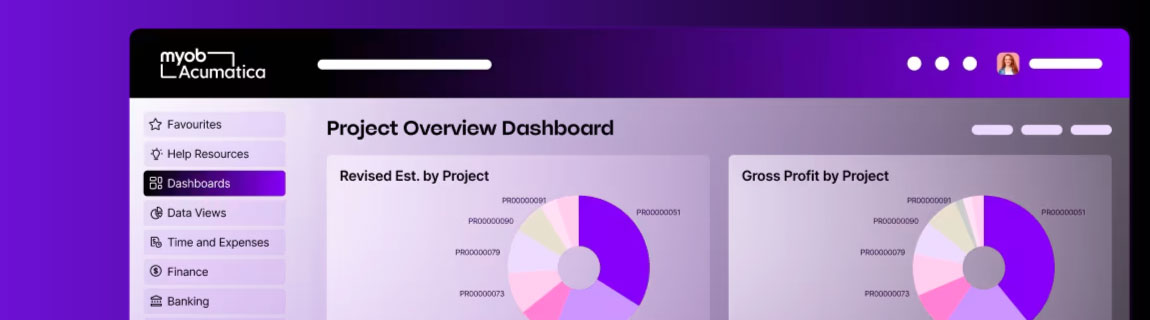
MYOB Acumatica, formerly MYOB Advanced, is MYOB’s cloud-based ERP platform for mid-sized businesses in Australia and New Zealand. It brings together areas such as accounting, payroll, inventory, CRM, project accounting and reporting in a cloud-native platform designed for real-time visibility and automation.
For eCommerce businesses, the migration is not simply an accounting system change. It is a broader operational project that affects product data, stock availability, customer accounts, pricing, orders, fulfilment, reporting, integrations and internal workflows.
A successful migration from MYOB EXO to Acumatica requires more than a data export and import. It requires a structured process and plan of attack.
Why businesses are considering the move from MYOB EXO to MYOB Acumatica
MYOB EXO remains a flexible and highly capable ERP platform. MYOB describes it as a fully featured solution that can be shaped into a business management system across areas such as inventory, project costing, HR and payroll.
The challenge is that many EXO environments have grown organically over many years. Custom SQL reports, manual workarounds, bespoke integrations and on-premises infrastructure can become harder to maintain as the business scales.
Common reasons businesses consider migrating include:
- A desire to move from on-premises infrastructure to cloud ERP.
- The need for stronger real-time visibility across finance, inventory and operations.
- More scalable eCommerce integration requirements.
- Reduced reliance on manual data handling.
- Cleaner API-led integration architecture.
- Better support for multi-location inventory, account pricing and operational reporting.
- A need to simplify legacy customisations before they become a constraint.
The key is to treat the migration as an opportunity to modernise, not just replicate the old system in a new platform.
1. Define success before choosing the migration path
The first step is not data migration. It is defining what success looks like.
Before any technical work begins, the business should agree on the outcomes the migration needs to deliver. This avoids the common mistake of measuring the project by whether the new ERP “goes live”, rather than whether the business is actually better off.
Success measures may include:
- Orders flow from the eCommerce platform to MYOB Acumatica without manual rekeying.
- Stock availability is accurate across online and offline channels.
- Account customers see the correct pricing, credit terms and product availability online.
- Finance teams can reconcile payments, invoices and credits with fewer manual adjustments.
- Warehouse teams can pick, pack and fulfil orders without relying on spreadsheet workarounds.
- Integration failures are logged, visible and actionable.
- Reporting is faster, cleaner and more reliable than it was in EXO.
- The business has reduced dependency on unsupported custom scripts or fragile database-level processes.
This step should produce a clear migration scorecard. That scorecard becomes the reference point for every technical decision that follows.
2. Run a proper discovery across systems, people and processes
Discovery is where the real complexity of an EXO migration is uncovered.
For eCommerce businesses, this should include the ERP, the website, middleware, warehouse systems, payment gateways, freight platforms, reporting tools, CRM, email marketing, marketplace connections and any custom applications.
The discovery phase should document:
- Current EXO modules in use.
- Custom fields, custom tables and custom reports.
- Existing integrations and how they exchange data.
- Manual processes that sit outside EXO.
- Business rules for pricing, stock, tax, freight, fulfilment and customer accounts.
- Known pain points with the current environment.
- Data quality issues.
- Reporting requirements.
- Security, access and approval workflows.
- Peak trading periods and operational constraints.
This is also the time to identify what should not be migrated. Legacy systems often contain years of unused fields, inactive customers, obsolete products, old pricing rules and reports that nobody trusts. Migrating everything can recreate the same problems in a newer system.
A strong discovery phase separates what is business-critical from what is simply historical.
3. Compare cloud vs on-premises assumptions
One of the biggest shifts from EXO to MYOB Acumatica is the move from a traditional on-premises or server-based ERP mindset to a cloud ERP operating model.
MYOB EXO environments commonly rely on Microsoft SQL Server, local infrastructure, direct database access, scheduled jobs and customised reporting approaches. MYOB’s EXO help references SQL Server support and third-party tool integration, which reflects the type of environment many EXO customers have historically operated.
MYOB Acumatica is different. It is positioned by MYOB as a cloud-native ERP platform for mid-market businesses, with built-in ANZ compliance, local support and integrations.
This has important implications:
- You should avoid recreating direct database dependencies.
- Integrations should be designed around supported APIs and endpoints.
- Reporting should be reviewed, not copied blindly from SQL reports.
- Environments, releases and testing need to align with the cloud ERP lifecycle.
- Security, access and auditability should be reconsidered.
- Performance monitoring needs to include external systems and integration layers, not just the ERP.
The migration should not be approached as “EXO in the cloud”. It should be treated as a shift to a more modern ERP architecture.
4. Audit and cleanse the data before mapping it
Data migration is one of the most underestimated parts of the project.
A typical EXO environment may include years of customer records, stock items, suppliers, sales orders, invoices, credits, GL accounts, product categories, warehouse data, pricing rules and custom fields.
Before mapping data into MYOB Acumatica, the business should audit:
- Customer records.
- Supplier records.
- Product and SKU data.
- Units of measure.
- Stock on hand.
- Warehouse locations.
- Price books.
- Customer-specific pricing.
- Tax settings.
- Payment terms.
- Open orders.
- Backorders.
- Credits and returns.
- GL structure.
- Historical transactions.
- Custom fields and reporting dimensions.
The aim is not just to move data. The aim is to make sure the new ERP starts with clean, usable and trusted data.
This is especially important for eCommerce. Poor product data, duplicate customers, inaccurate stock records or messy price rules can quickly become customer-facing problems once the website is integrated.
5. Map EXO data structures to MYOB Acumatica carefully
Once the source data has been audited, the next step is formal data mapping.
This should define how each important EXO object maps into MYOB Acumatica. It should also identify where there is no one-to-one match.
For example:
- EXO customer groups may need to map to Acumatica customer classes or attributes.
- EXO stock items may need to map to Acumatica inventory items.
- EXO pricing rules may need to be restructured into Acumatica price classes or customer-specific pricing.
- EXO warehouses and locations may need to be reviewed against Acumatica inventory and fulfilment structures.
- Custom EXO fields may need to become Acumatica attributes, custom fields or reporting dimensions.
- Legacy order statuses may need to be rationalised into cleaner workflow states.
The mapping process should include:
- Source field.
- Destination field.
- Transformation logic.
- Default values.
- Validation rules.
- Exception handling.
- Ownership.
- Testing status.
Data mapping is not just a technical spreadsheet. It is a business design document.
6. Understand the API differences before rebuilding integrations
This is one of the most important technical differences in the migration.
Many EXO integrations are built around direct database access, custom SQL, file exports, scheduled imports or bespoke connector logic. That can work in an on-premises environment, but it is not the right pattern for a cloud ERP.
Acumatica provides contract-based REST and SOAP APIs for integration. Its integration guide explains that external systems can use these web services to get data from Acumatica, process records and save new or updated records back into Acumatica.
Acumatica’s contract-based API model is designed around endpoints and entities. The REST API works with records in JSON format, while endpoint schemas can also be reviewed through OpenAPI/Swagger definitions.
This changes the way integrations should be designed.
Key areas to review include:
- Authentication and session handling.
- API rate and performance considerations.
- Endpoint availability.
- Custom endpoint requirements.
- Handling of custom fields.
- Branch or company context.
- Error response formats.
- Retry logic.
- Order of operations.
- Data ownership between ERP and eCommerce.
- Real-time vs scheduled synchronisation.
For an eCommerce integration, the API design should be documented before development begins. The business should know exactly how customers, products, stock, pricing, orders, invoices, payments and fulfilment updates will move between systems.
7. Design the eCommerce integration around business events
For online retailers, wholesalers and distributors, the ERP migration is only successful if the eCommerce integration works reliably.
This is where many projects become risky. Businesses often focus heavily on the ERP implementation, then treat the website integration as a downstream technical task. In reality, the website is often one of the most important operational systems connected to the ERP.
The integration should define how the following data flows will work:
- Products from MYOB Acumatica to the eCommerce platform.
- Product availability and stock levels.
- Customer records.
- B2B account structures.
- Contract pricing and customer-specific pricing.
- Orders from the website to MYOB Acumatica.
- Payment status.
- Invoices.
- Credits and returns.
- Shipment and tracking information.
- Backorders.
- Gift cards, promotions or discounts where applicable.
- Tax and freight rules.
- Marketing and CRM data where relevant.
The integration should also define the source of truth for each object.
For example:
- ERP may be the source of truth for stock, pricing, customers and invoices.
- The eCommerce platform may be the source of truth for website content, merchandising and customer-facing product information.
- A PIM may be the source of truth for rich product data.
- A freight platform may be the source of truth for tracking events.
Without this clarity, teams can end up with conflicting data, duplicated logic and integration errors that are hard to diagnose.
8. Build exception logging and observability from the beginning
Exception logging should not be added at the end of the project. It should be designed into the integration from day one.
When migrating from MYOB EXO to Acumatica, the integration layer will often become more important. It may be responsible for synchronising stock, orders, customers, price lists, fulfilment updates and financial documents between multiple systems.
When something fails, the business needs to know:
- What failed?
- When did it fail?
- Which system caused the failure?
- Which record was affected?
- Was the customer impacted?
- Was the failure retried?
- Has the issue been resolved?
- Is the issue isolated or recurring?
This is where observability platforms such as New Relic can be valuable. New Relic’s Errors Inbox is designed to help teams detect, triage and resolve errors across applications and services, while logs in context can connect log entries to APM views, errors, distributed traces and infrastructure monitoring.
For eCommerce integrations, this can be used to surface issues such as:
- Orders failing to post to MYOB Acumatica.
- Stock updates not reaching the website.
- Customer account updates failing validation.
- API authentication failures.
- Timeout or rate-limit issues.
- Unexpected data format changes.
- Pricing sync failures.
- Duplicate order attempts.
- Failed retry queues.
The goal is not just technical logging. The goal is operational visibility.
A good integration should provide clear exception reporting so finance, customer service, warehouse and technical teams can respond quickly.
9. Test the migration with real business scenarios
Testing should not be limited to whether records import successfully.
The migration needs to be tested against real business workflows. For eCommerce businesses, this should include:
- New customer registration.
- Existing B2B customer login.
- Customer-specific pricing.
- Product publishing.
- Stock updates.
- Order placement.
- Payment capture.
- Order creation in MYOB Acumatica.
- Invoice generation.
- Partial fulfilment.
- Backorders.
- Credit notes.
- Returns.
- Cancelled orders.
- Freight and tracking updates.
- High-volume order periods.
- Integration failure and retry scenarios.
Testing should include both happy paths and failure paths.
For example, what happens if an online order contains a product that has just gone out of stock? What happens if the customer’s account is on credit hold? What happens if MYOB Acumatica is temporarily unavailable? What happens if a stock update fails but the website keeps selling?
These scenarios should be tested before go-live, not discovered after customers are affected.
10. Plan the cutover, support window and continuous improvement
The final step is cutover planning.
A migration from MYOB EXO to MYOB Acumatica should have a clear go-live plan covering:
- Final data extraction from EXO.
- Data freeze windows.
- Open order handling.
- Stocktake or stock validation.
- Customer communication if required.
- Website integration cutover.
- Payment and fulfilment testing.
- Rollback options.
- Support responsibilities.
- Hypercare period.
- Daily issue review.
- Post-launch optimisation backlog.
The first few weeks after go-live are critical. Even with strong testing, real-world usage will uncover edge cases. A structured hypercare period allows the business to stabilise quickly and prioritise issues based on operational impact.
This is also where observability and exception logging become especially valuable. Instead of relying on users to report problems manually, the business can monitor failures, performance issues and integration exceptions proactively.
Common mistakes to avoid
The most common mistake is trying to replicate the old EXO environment exactly.
That may feel safer, but it can carry legacy issues into the new platform. A migration is an opportunity to simplify, standardise and improve.
Other common mistakes include:
- Starting data migration before completing discovery.
- Underestimating custom fields and reports.
- Rebuilding old SQL-based logic without reviewing whether it is still needed.
- Treating eCommerce integration as a minor technical task.
- Failing to define source-of-truth rules.
- Not testing exception scenarios.
- Launching without proper logging and monitoring.
- Migrating dirty data.
- Ignoring warehouse and fulfilment workflows.
- Not involving finance, operations, customer service and eCommerce teams early enough.
Final thoughts
Migrating from MYOB EXO to MYOB Acumatica can be a significant step forward for growing eCommerce businesses.
The value is not just moving to a newer ERP. The real value comes from creating a cleaner operating model, improving integration reliability, reducing manual work and giving the business better visibility across finance, inventory, orders and customers.
For businesses with complex eCommerce requirements, the migration should be treated as a whole-of-business transformation, not just an ERP implementation.
The right process starts with discovery, defines success clearly, maps data properly, respects the API differences, designs the eCommerce integration carefully and builds monitoring into the architecture from the beginning.
That is how businesses move from legacy ERP dependency to a more scalable, connected and cloud-ready operating model.